
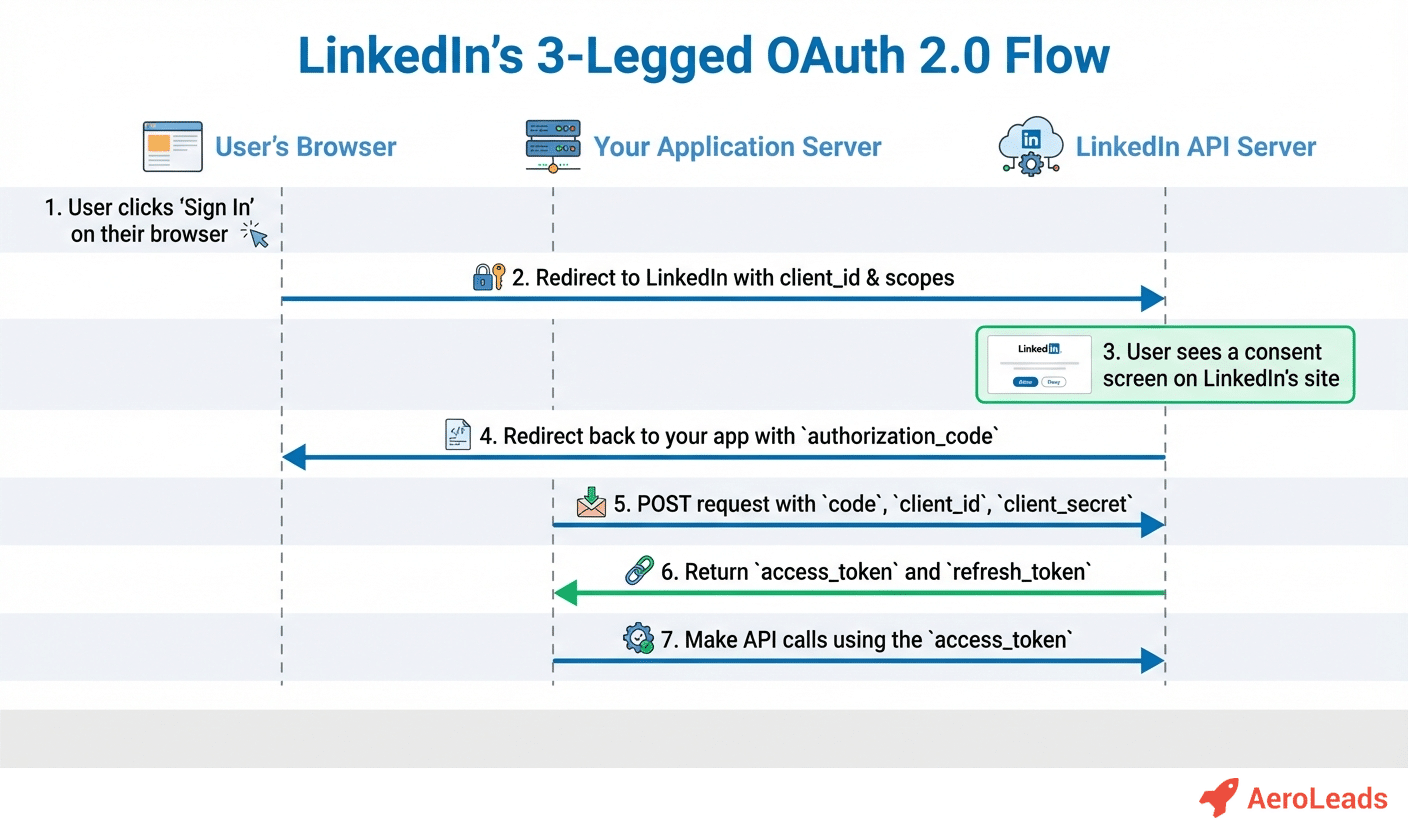
Introducing Hark’s Browser Agent
Imagine a tool that sits quietly in your browser, monitoring every request you send to LinkedIn’s platform. That’s exactly what Hark’s Browser Agent does. Designed for developers, marketers, and recruiters who rely heavily on LinkedIn data, this lightweight extension captures the nuances of API calls, exposing the often‑overlooked constraints that can stall a project.
Why API Limits Matter
LinkedIn provides a powerful set of endpoints for retrieving profiles, posting updates, and managing connections. However, each of these actions is governed by strict rate limits. When you exceed those thresholds, the API returns error codes, pauses your automation, and sometimes even suspends your app’s access. If you’ve ever been surprised by a sudden 429 Too Many Requests response, you know how frustrating it can be.
Typical Limits You Should Know
- Calls per day: Most applications are allowed a fixed number of calls in a 24‑hour window, often measured in thousands.
- Calls per second: Even if you stay within the daily quota, sending too many requests in a short burst can trigger throttling.
- Endpoint‑specific caps: Certain resources, like profile lookups, have tighter restrictions than others, such as posting content.
How Hark’s Agent Puts Those Limits in Focus
When you install the agent, it begins to log every outbound request to LinkedIn’s API. The data is presented in an easy‑to‑read dashboard that shows:
- The total number of calls made today.
- The remaining quota for each endpoint.
- A timeline of request spikes, highlighting moments when you approached the per‑second ceiling.
Because the information is visual, you can instantly spot patterns that would otherwise remain hidden in server logs. For example, you might discover that a nightly batch job floods the API at 2 AM, consuming most of your daily allowance before the workday even begins.
Practical Steps to Stay Within Limits
Armed with the insights from Hark, you can adopt a few best practices that keep your integration smooth:
- Implement exponential back‑off: When the agent flags a throttling event, automatically delay subsequent calls and retry after a short pause.
- Batch requests wisely: Group similar queries together to reduce the total number of calls.
- Schedule heavy operations: Move non‑critical data pulls to off‑peak hours, ensuring they don’t clash with peak usage periods.
- Monitor quota in real time: Use the agent’s live counter to pause scripts before you hit the daily ceiling.
Case Study: A Recruiter’s Workflow
Consider a recruiter who runs a script every hour to pull new candidate profiles based on specific keywords. Without visibility, the script might unintentionally request 150 profiles per minute, exceeding the per‑second limit and causing the API to return errors. After integrating Hark’s Agent, the recruiter noticed the spike and adjusted the script to request 30 profiles per minute, spreading the load evenly. The result? No more interruptions, and the daily quota lasted the entire day, delivering fresh leads without a hitch.
Beyond LinkedIn: Applying the Same Mindset
The principles you learn with Hark’s Agent aren’t exclusive to LinkedIn. Any platform that enforces rate limits—whether it’s a social network, a cloud storage service, or a payment gateway—can benefit from the same approach: monitor, visualize, and adapt. By treating API usage as a resource you manage consciously, you reduce downtime and improve overall efficiency.
Getting Started with Hark
Ready to bring clarity to your LinkedIn integrations? Follow these simple steps:
- Download the browser extension from the official marketplace.
- Grant permission to read network traffic for LinkedIn domains.
- Open the dashboard and familiarize yourself with the quota meters.
- Adjust your scripts or automation tools based on the insights you gather.
Within minutes you’ll have a real‑time view of how your applications interact with LinkedIn, allowing you to make data‑driven decisions that keep your workflow humming.
Final Thoughts
API limits are often seen as a nuisance, but they’re also a signal that you’re pushing a valuable service to its edge. Hark’s Browser Agent transforms that signal into actionable intelligence. By shining a light on hidden throttling patterns, it empowers you to design smarter, more resilient integrations. So the next time you plan a LinkedIn‑centric project, let the agent be your first line of defense against unexpected rate‑limit surprises.













Dodaj komentarz